
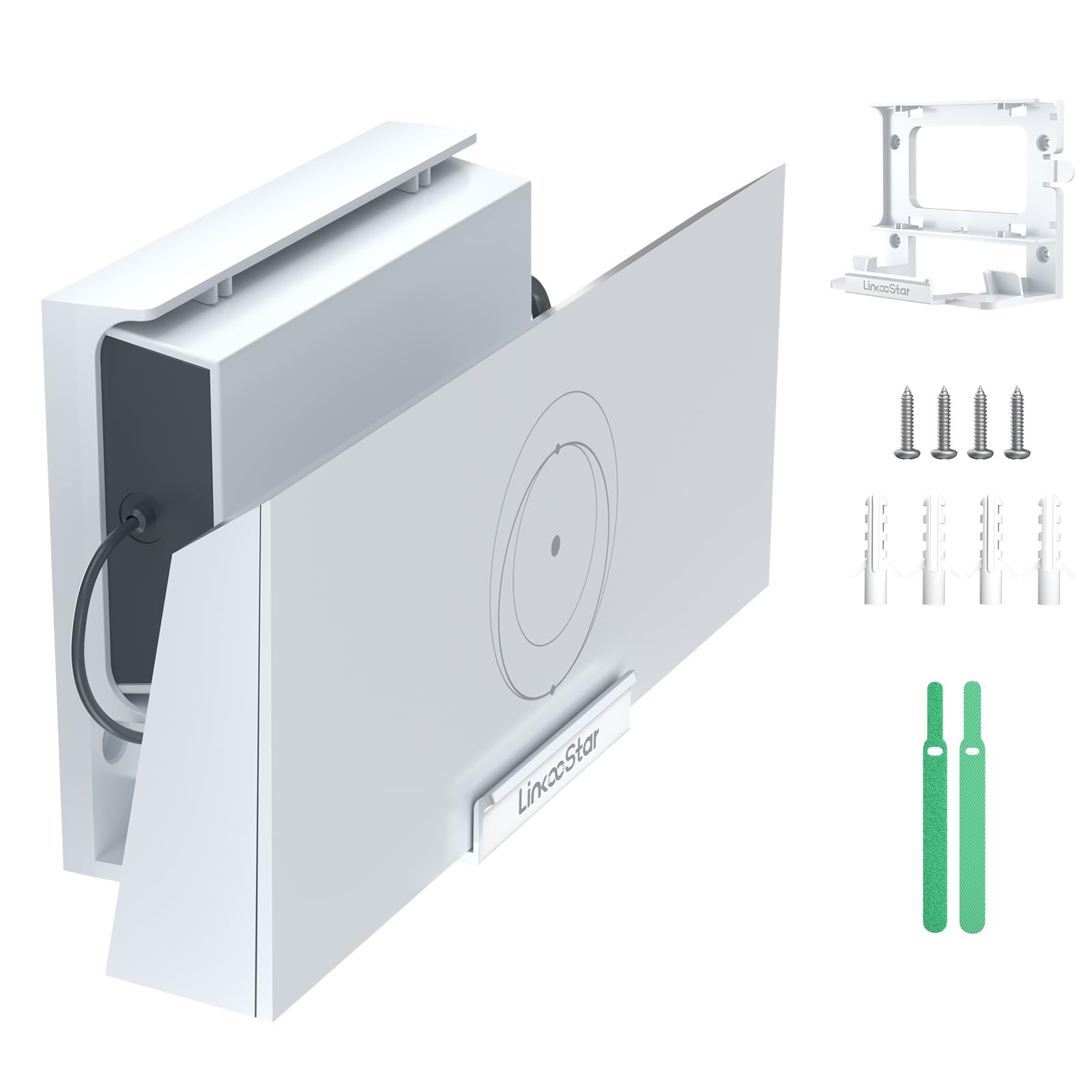
When you’re setting up a Starlink dish, the included stand usually ends up on a table or the floor, which isn’t always ideal. If you’re renting, have limited space, or just want the router off the ground, a wall mount becomes a sensible addition. The Star-Link Router Mount for Gen 3/4X/V3 is one of those accessories that seems straightforward but has a few details worth considering before you commit.
I’ve been testing this mount with a Gen 3 router for about three weeks. The installation is pretty much what you’d expect: you screw the bracket into a wall stud (or use drywall anchors, which are included), then clip the router into place. The whole process took me under ten minutes, and I didn’t need any special tools beyond a drill and a Phillips head screwdriver. The mount holds the router snugly, and the clips are firm enough that the unit doesn’t wobble or slide out, even if you accidentally bump it while walking past.
One of the first things I noticed is the build quality. The bracket is made of a thick, powder-coated steel that feels more substantial than the typical plastic mounts you see for other routers. It’s clearly designed to hold the Starlink router securely for years, not just until the next firmware update. The cutouts are precisely aligned with the router’s vents, so airflow isn’t blocked, which is important because the Gen 3 router can get warm during heavy use. I didn’t see any temperature spikes during my testing, even when streaming 4K video and gaming simultaneously.
The mount also allows for some flexibility in positioning. You can mount it horizontally or vertically, depending on your space and cable routing. That’s a nice touch, because it means you can hide the router behind a TV or under a desk without having to reorient the whole setup. The cable management slots on the sides are practical—they keep the power and ethernet cables tidy, which is more than what the stock stand offers.
However, there are a couple of trade-offs. First, the mount is designed specifically for the Gen 3, 4X, and V3 routers. If you have an older Gen 2 or a third-party router, this won’t fit. That’s a limitation, but it’s clearly stated in the product name, so it’s not a surprise. Second, the mounting holes are spaced for standard US wall studs (16 inches on center), which is fine for most homes, but if you have odd spacing or want to mount it on a concrete wall, you’ll need to source your own hardware. The included anchors are decent for drywall, but I’d recommend using a stud if possible—the mount is sturdy, but a heavy router hanging on drywall anchors alone is never a great idea.
Compared to a generic universal router wall mount, this one has a clear advantage: it’s custom-fit. I’ve used universal mounts in the past, and they often involve fiddly adjustable arms or straps that look messy and can interfere with the router’s antennas. This mount is clean and low-profile, and the router snaps in with a satisfying click. That said, it’s also more expensive than a generic mount, so if you’re on a tight budget and don’t mind a bit of DIY, a universal option might be sufficient. But if you want something that looks like it was designed for the Starlink router, this is the better choice.
In terms of real-world use, this mount shines in a few scenarios. If you’re in a small apartment where floor space is precious, mounting the router on a wall frees up a shelf or table. If you have kids or pets that might knock the router over, getting it off the ground is a smart move. And if you’re running a home office, having the router mounted neatly next to your desk can reduce cable clutter and make your setup look more professional.
On the flip side, this mount isn’t for everyone. If you’re someone who likes to move their router around frequently—say, between rooms or on a camping trip—this is not practical. It’s a permanent installation, and removing the router from the mount requires a bit of effort (the clips are tight, which is good for security but not for quick changes). Also, if you’re renting and can’t drill into walls, this won’t work unless you get permission from your landlord.
Overall, the Star-Link Router Mount for Gen 3/4X/V3 does exactly what it promises. It’s well-built, easy to install, and keeps your router secure and out of the way. It’s not a flashy product, and it doesn’t need to be. It’s a practical accessory that solves a common problem, and it does so without any major flaws. If you’re already invested in the Starlink ecosystem and want a cleaner setup, this mount is a solid purchase. Just be aware of the compatibility limits and the need for a proper mounting surface before you buy.