
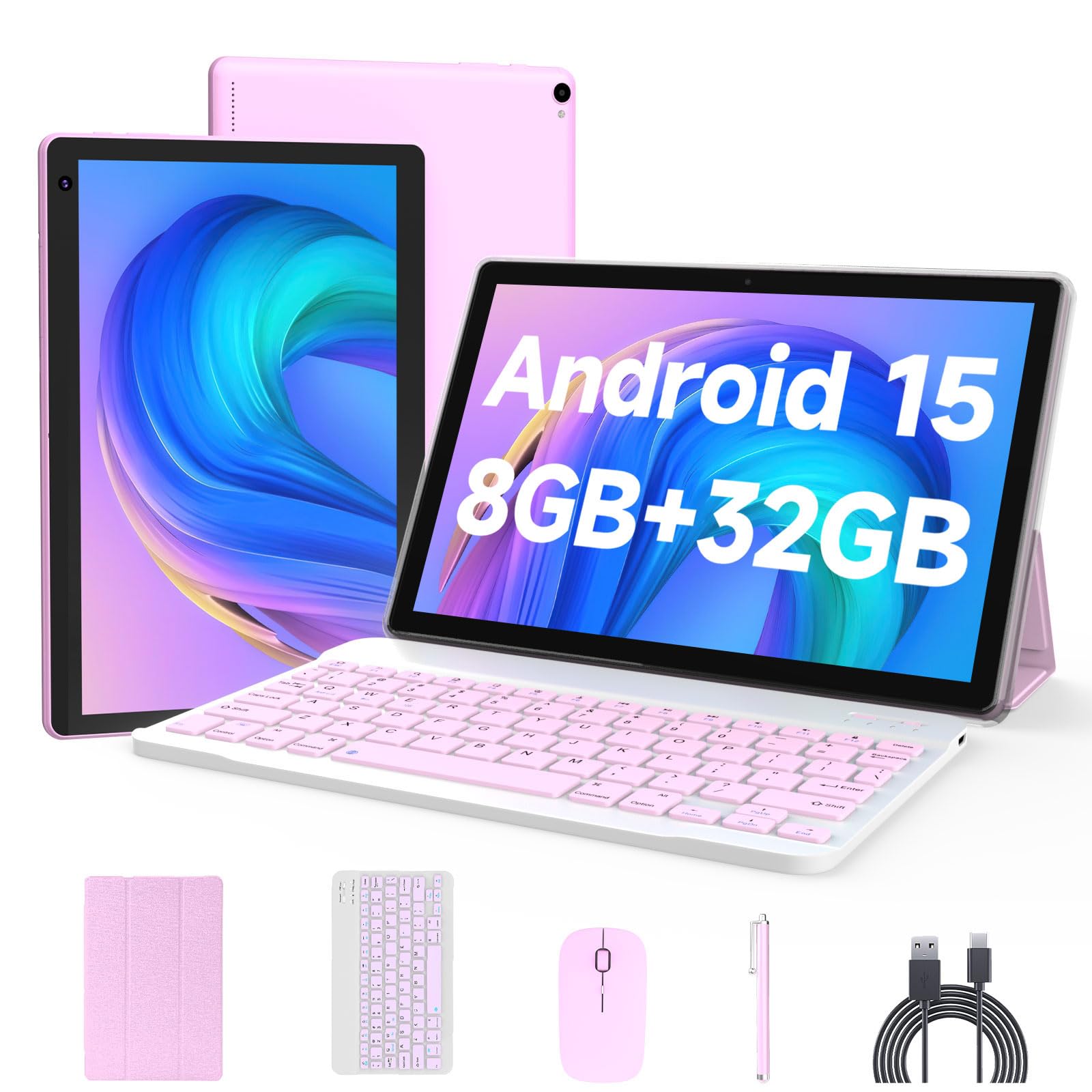
There’s a certain category of tech products that seems to exist purely to test our expectations. The Android 15 tablet with a bundled keyboard, mouse, and stylus is one of them. At first glance, it’s easy to dismiss it as another generic budget tablet trying to look like a laptop. But after spending some time with it, I found myself adjusting my initial assumptions.
The tablet itself is a 10-inch slab with a 1280×800 HD screen. It’s not going to win any awards for display sharpness or color accuracy, but for the price, it’s acceptable. The included keyboard case transforms it into a makeshift laptop, which is where the ‘2-in-1’ label comes from. The keyboard connects via Bluetooth and has a built-in mouse pad. The stylus is a basic capacitive pen, fine for tapping and simple note-taking, but not for serious drawing or precise work.
Under the hood, it runs Android 15, which is surprisingly current for a budget device. The 8GB of RAM (though some of that is likely virtual) helps it juggle a few apps without immediately grinding to a halt. The quad-core processor is basic, and you’ll notice it if you try to push it. Simple tasks like browsing, email, and video streaming are fine. But if you’re thinking about multitasking with multiple heavy apps or playing graphically intensive games, you’ll see lag and stutter. The 32GB of internal storage is tight, but the expandable 1TB microSD card slot offers a practical way to store media and documents.
One of the more pleasant surprises was the battery. The 6000mAh cell easily got me through a day of mixed use—some YouTube, a bit of web browsing, and a few hours of e-reading. It’s not a benchmark-buster, but it’s reliable. The dual cameras are basic, good enough for video calls and occasional document scanning, but don’t expect to replace your phone for photography.
Now, let’s talk about the elephant in the room: the keyboard. It’s functional, and the trackpad works, but it’s cramped and the keys feel shallow. It’s fine for typing out a quick email or a short document, but I wouldn’t want to write a 5,000-word essay on it. For that, you’d be better off with a Chromebook or a more expensive Windows tablet. The tablet also lacks a headphone jack, which is a minor annoyance if you have wired headphones. And while the Widevine L1 certification means you can stream HD content from services like Netflix, the screen’s low resolution means you won’t see a huge difference compared to a 1080p panel.
Compared to a budget Chromebook, this tablet is more portable and offers a touchscreen, but the Chromebook will generally have a better keyboard and more reliable performance for productivity tasks. Compared to a standard Android tablet without a keyboard, this one gives you more flexibility, but the added accessories add bulk and weight. It’s a trade-off.
So who is this for? It’s for someone who needs a basic, portable device for media consumption, light browsing, and occasional typing. It’s also a decent option for kids or students who need a device for schoolwork without the risk of breaking an expensive laptop. The included accessories mean you don’t have to buy anything extra. It’s not for power users, professionals who depend on their device, or anyone who needs a high-resolution screen for photo or video editing. It’s also not great for gamers.
In the end, the Android 15 tablet with keyboard case is a decent value. It does what it claims, but it doesn’t exceed expectations. The build quality is plastic and feels a bit cheap, but it’s light and portable. The software is clean and up-to-date, which is a plus. The performance is adequate, but not great. If you approach it with realistic expectations, it’s a useful tool. If you expect it to replace a full-fledged laptop, you’ll be disappointed. It’s a budget tablet that tries to be more, and for the most part, it succeeds at being a versatile, if not powerful, companion device.