
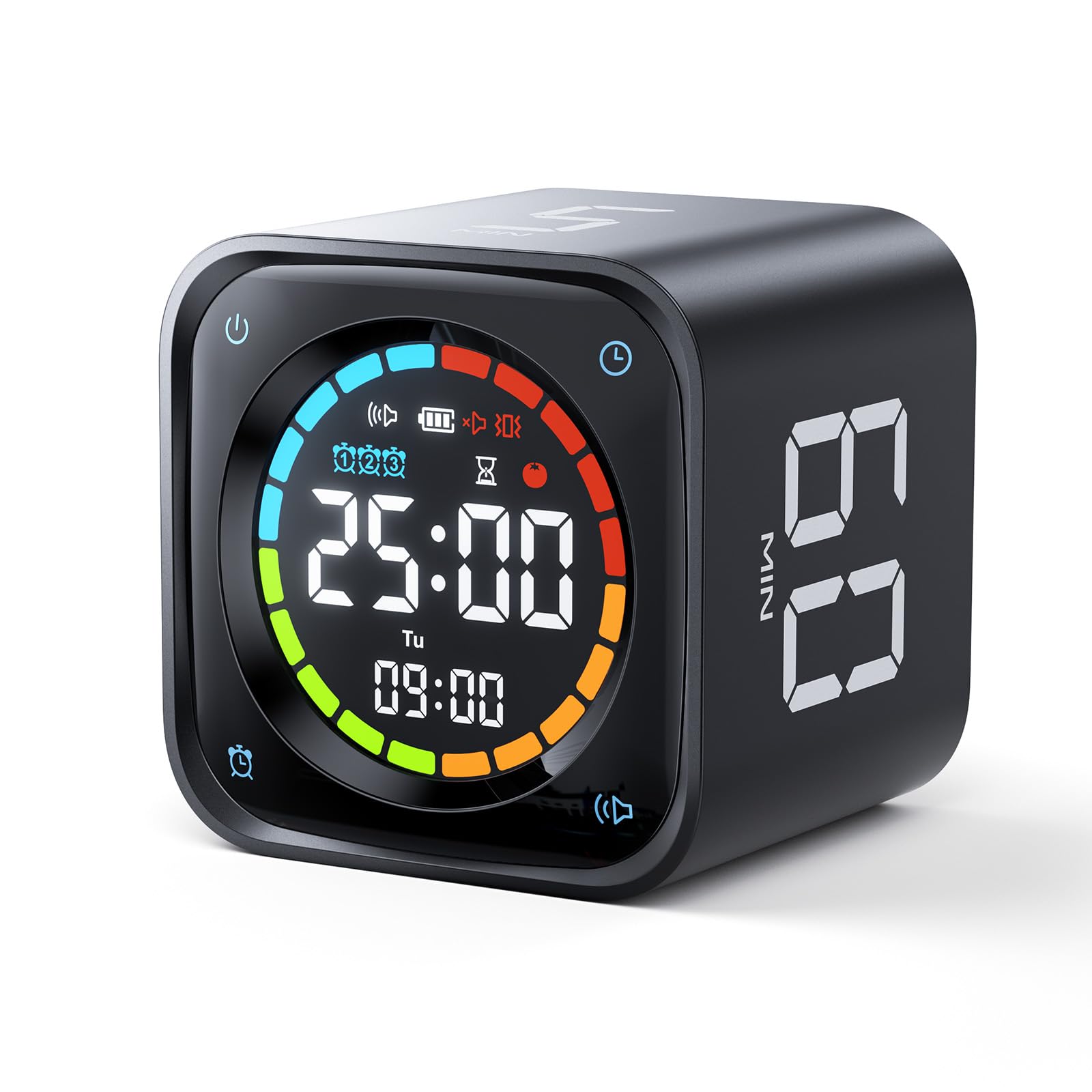
The Ticktime TK3 Pomodoro Timer Cube is a dedicated countdown timer that uses a flip mechanism to set intervals of 5, 10, 30, or 60 minutes. It’s designed for people who want a physical, screen-free way to manage time blocks, particularly for Pomodoro-style work sessions. Unlike app-based timers, it sits on your desk and requires a deliberate action to start, which can help reduce phone distractions.
In practice, the TK3 is straightforward: you flip the cube to the side labeled with your desired duration, and it begins counting down. The flip action is tactile and satisfying, and the large digits on each face make it easy to see the remaining time from a distance. The timer runs silently, with no ticking or beeping until the end, when a gentle alarm sounds. This makes it suitable for shared offices or quiet environments. The device is powered by two AAA batteries (not included), and battery life is reasonable—users report several months of regular use before needing a change.
One of the main advantages of the TK3 is its simplicity. There are no menus, no apps, and no connectivity. You pick a duration and flip. That’s it. For tasks that fit neatly into 5, 10, 30, or 60-minute blocks, this is convenient. However, the fixed intervals are a limitation: if you need a 25-minute Pomodoro (the traditional length), you can’t set it precisely. You’d have to use the 30-minute side and either stop early or let it run over. Similarly, custom durations like 15 or 45 minutes aren’t possible. This lack of flexibility is a trade-off for the ease of use.
Another consideration is the alarm. It’s a single beep sequence that repeats a few times, but it’s not especially loud. In a noisy environment or if you’re wearing headphones, you might miss it. The volume is not adjustable, which could be an issue for heavy sleepers or those in loud spaces. Also, the timer doesn’t have a pause function—once flipped, it counts down continuously. If you need to interrupt a session, you have to reset by flipping to another side and back, which restarts the full duration. That’s a minor annoyance but worth noting.
Compared to a standard kitchen timer or a smartphone app, the TK3’s niche is its physicality and focus on work intervals. A kitchen timer might offer more precise settings, but it often looks out of place on a desk and may have a loud tick. Smartphone apps are flexible but come with the temptation of other notifications. The TK3 sits in between: it’s more professional-looking than a kitchen timer and less distracting than a phone. However, it’s less versatile than a digital timer with a keypad, which can set any duration. If you frequently need odd intervals, the TK3’s fixed options may frustrate you.
Build quality is decent for the price. The cube feels solid, with a matte plastic finish that resists fingerprints. The flip mechanism has a firm click, and the labels are clear. It’s small enough to fit in a bag, but it’s not something you’d want to carry around daily. The display is not backlit, so in low light, you might need to angle it toward a light source to read the numbers. That’s a minor drawback for evening use.
Who is this for? It’s well-suited to people who already use Pomodoro or time-blocking techniques and want a dedicated, offline timer. It’s also good for those who find themselves reaching for their phone too often and want a separate device. Students, writers, and programmers might appreciate the simplicity. It’s not ideal for anyone who needs precise custom intervals, a loud alarm, or a backlit display. Also, if you prefer a timer that can be paused or adjusted on the fly, this isn’t it.
In summary, the Ticktime TK3 is a well-executed niche product. It does one thing—flip to start a fixed countdown—and does it without fuss. The limitations are clear: fixed intervals, no pause, and a quiet alarm. But for its intended use, it’s a practical tool that helps keep focus on the task at hand rather than on configuring a timer. If you can work within its constraints, it’s a worthwhile addition to a desk setup.