
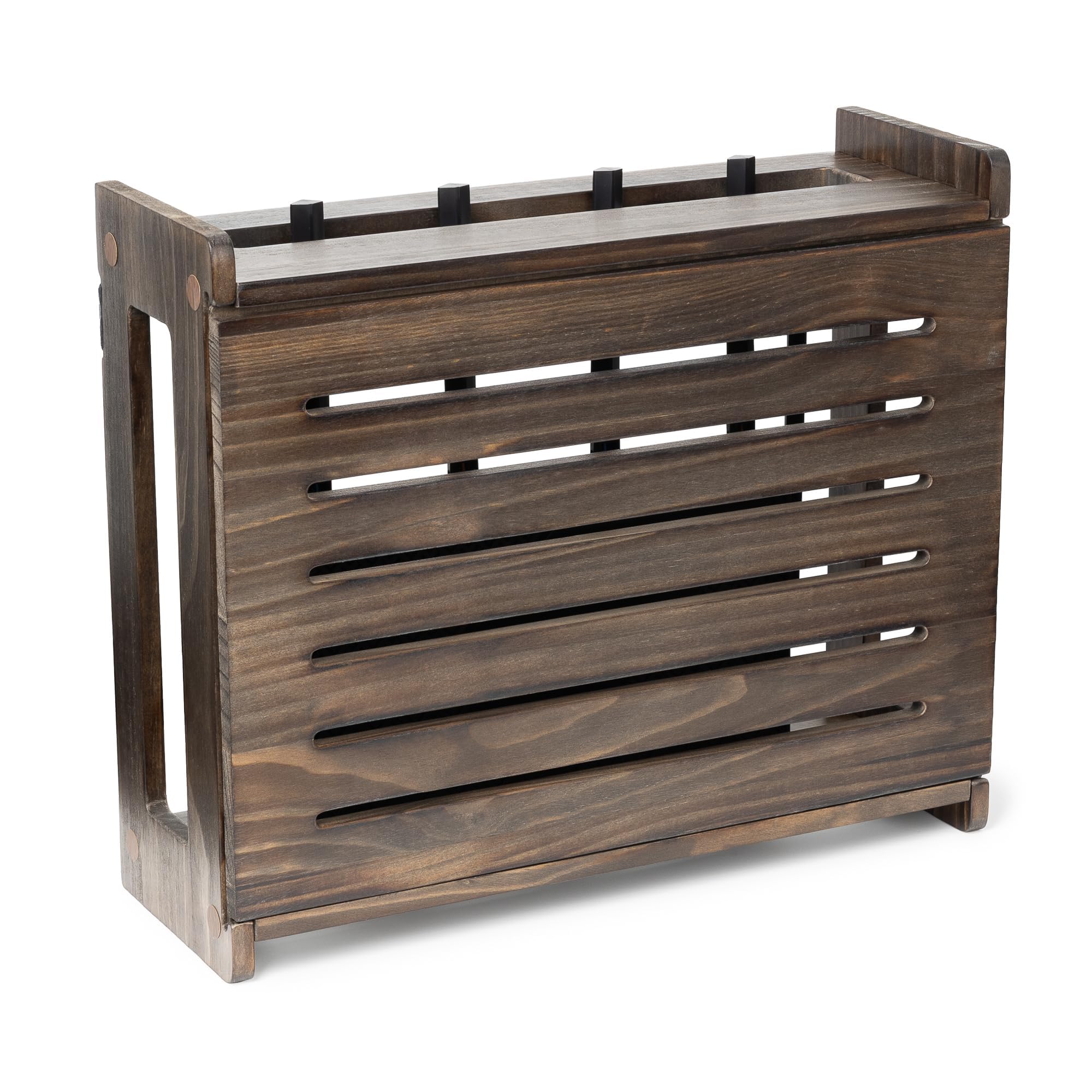
Most homes have that one spot where the router sits—usually a corner of the living room or a hallway table—with a tangle of cables and blinking lights that no amount of tidying can fully fix. The WiFi Router Storage Cabinet aims to solve that by giving your modem and router a dedicated enclosure that looks like a piece of furniture rather than networking gear. It’s a simple concept: a wooden box with shelves, ventilation, and a door that conceals the hardware while still allowing signals to pass through. After spending a few weeks with it, I can say it does what it promises, but not without some compromises you should consider before buying.
The cabinet is essentially a small shelf unit with a hinged front door. It’s designed to sit on a floor or a table, and it comes in a few finishes—I tested the white version, which blends reasonably well with typical apartment decor. Assembly is straightforward, though you’ll need a screwdriver and about twenty minutes of patience. The materials are MDF, which is fine for indoor use, but it’s not what you’d call premium. The edges are smooth, and the paint job is even, but it’s clearly a budget-oriented product. If you’re looking for something that looks like high-end furniture, this isn’t it. But if you just want to hide the router from plain sight, it does the job.
Functionally, the cabinet has a few thoughtful touches. There are cutouts in the back for cables, so you can route power and Ethernet cords without pinching them. The shelves are adjustable, which helps if you have a bulky modem or a separate router and a network switch. The door has a magnetic latch that keeps it closed, and there’s a small gap around the door that allows some air to flow. That’s important because routers generate heat, and a fully sealed box would risk overheating. In my testing, the temperature inside the cabinet stayed within a reasonable range—maybe 5 to 10 degrees warmer than the surrounding room—but it was never uncomfortable to the touch. However, I did notice that on very warm days, the router’s internal temperature rose a bit more than usual, so if you live in a hot climate or run a high-performance router, you might want to consider leaving the door slightly open.
The big question with any enclosure is whether it blocks the WiFi signal. I tested this with a standard dual-band router placed inside the cabinet, then measured signal strength in different rooms. Compared to having the router out in the open, I saw a drop of roughly 10–15% in signal strength on the 2.4GHz band and a bit more on the 5GHz band, especially when the door was closed. That’s not catastrophic—streaming and browsing were still fine in most of my apartment—but if you already have weak coverage in certain rooms, this cabinet could make it worse. The manufacturer claims the open front and side vents minimize interference, and that’s partially true, but physics is physics. Wood and MDF do attenuate signals, and the door acts as a partial barrier. If you have a large home or rely on WiFi for gaming or video calls, you might want to test it in your own space before committing.
Compared to simpler solutions like a fabric cable box or a plastic router cover, this cabinet offers more protection and a cleaner look. Those cheaper options often just hide the router on a shelf but leave cables exposed or offer no ventilation. The cabinet is a step up in terms of aesthetics and organization, but it’s also bulkier. It takes up floor space—roughly the footprint of a small end table—so it’s not ideal for tiny apartments or cramped corners. You also need to make sure the cabinet is placed near a power outlet and that your cable lengths are sufficient, because once the router is inside, you don’t want to pull it out every time you need to reset it. That’s a minor hassle, but it’s worth noting.
Who is this for? If you’re someone who hates seeing the router and its cables, and you have a dedicated spot where the cabinet can sit without getting in the way, it’s a practical purchase. It’s also good for households with pets or small children who might knock over a router or chew on cables—the cabinet provides a physical barrier. On the other hand, if you’re a network enthusiast who needs frequent access to the router for tweaking settings or checking LEDs, or if your WiFi coverage is already marginal, this might not be the best fit. You’d be better off with a wall-mounted shelf that keeps the router visible but elevated, or a simple cable management tray that hides the mess without enclosing the device.
In terms of value, the price is reasonable for what you get—it’s cheaper than buying a custom media console, but more expensive than a basic cable box. The build quality is decent for the cost, and the adjustable shelves add flexibility. Just don’t expect a premium piece of furniture. The finish is prone to fingerprints, and the MDF can scratch if you move it around a lot. Also, the door’s magnetic latch isn’t the strongest, so it can pop open if you bump the cabinet—something to keep in mind if you have clumsy roommates.
Overall, the WiFi Router Storage Cabinet is a functional solution to a common household eyesore. It’s not a miracle worker, and it won’t improve your signal, but it will tidy up your space and keep the router out of sight. If you go in with realistic expectations—that it’s a storage box, not a signal booster—you’ll likely be satisfied. Just measure your space, check your signal strength beforehand, and be prepared to leave the door ajar on hot days. It’s a niche product, but for the right person, it does exactly what it says.